







Built for Takealot.
Ready for more.
Automate pricing, sync inventory, manage products and centralise orders across all your marketplaces from one dashboard
Start free trialBuybox Repricing
Stay ahead of the competition on Takealot and Makro with our advanced repricing tool that automatically updates your product's price to beat your competitors and win the Buybox.
Use advanced settings and features to customise your pricing strategies, track your competitors and ensure you stay at the top.
Learn more about Buybox Repricing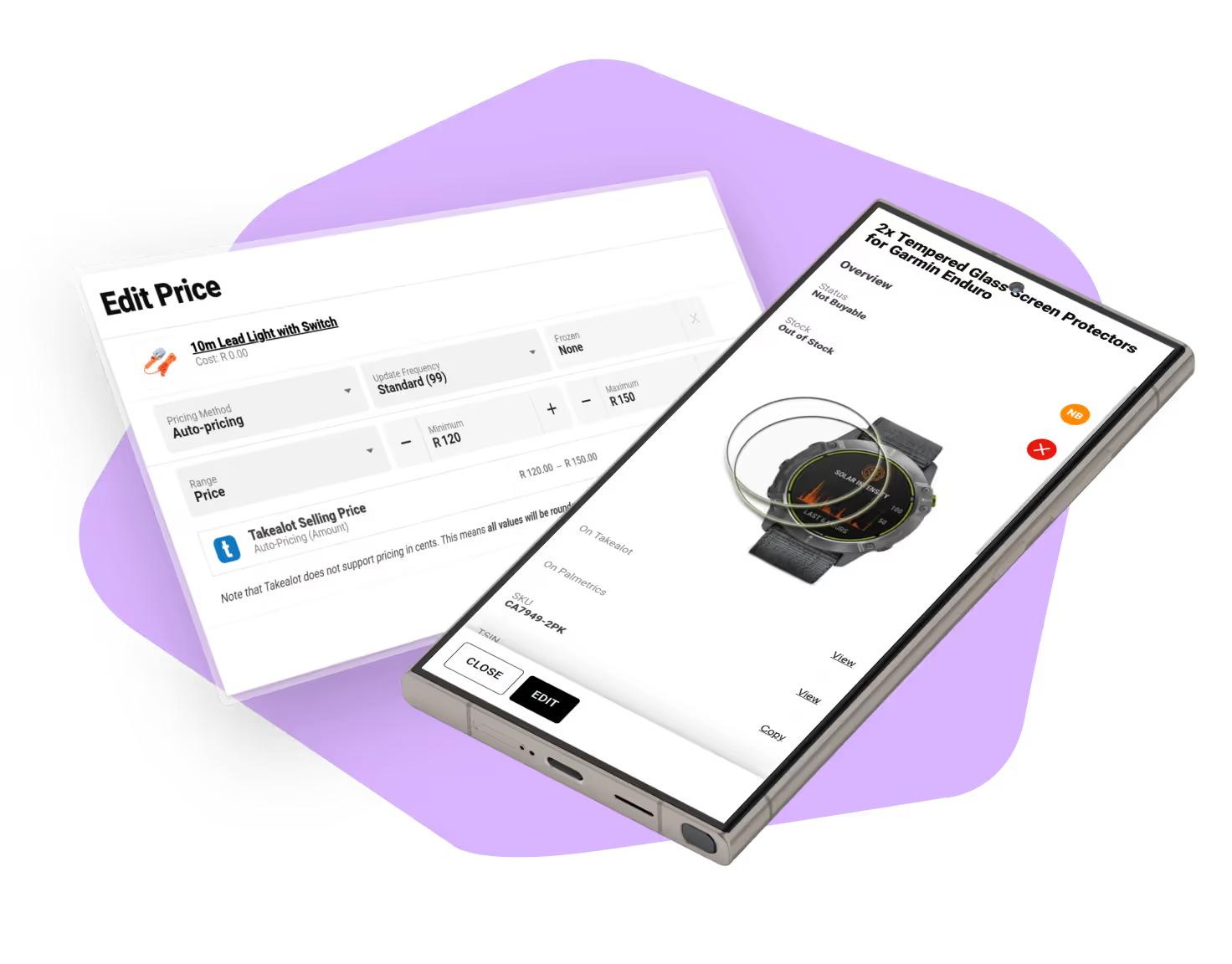
INTERVALS
Three available price update frequencies to optimise buybox performance
CONTROL
Set a minimum & maximum selling price for each of your products
HISTORY
View your price history compared to your competition for 2 weeks
RULES
Advanced settings to configure the pricing strategy and rules
Sync Channels
Centralise all your products and orders from every sales channel in one place - fully synced and effortlessly managed by Palmetrics without needing to log in to different platforms.
Keep stock levels automatically synchronized across all channels to prevent overselling, while easily managing product listings and pricing with multiple automated pricing rules. Track and view all your orders from every sales channel through one unified interface.
Learn more about Multi-channel Sync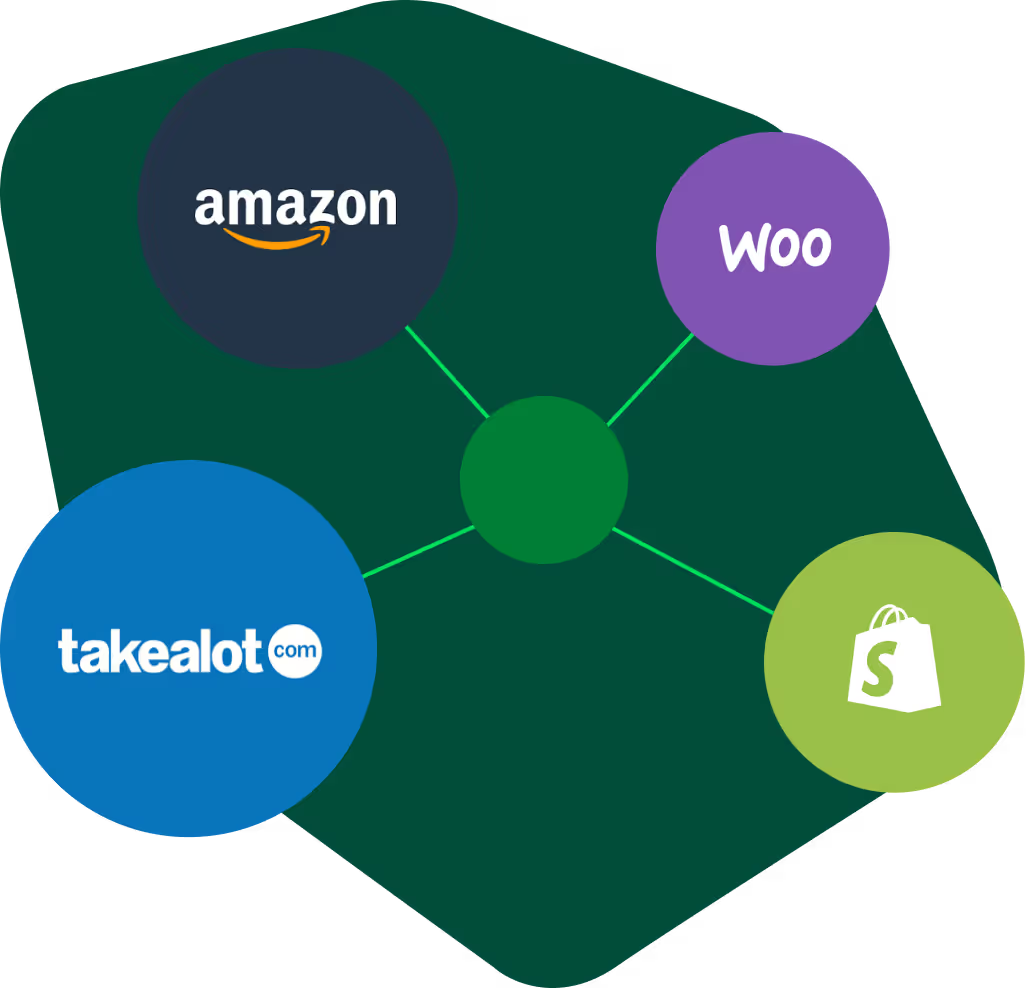
STOCK SYNC
Avoid overselling by keeping stock levels in sync across all sales channels automatically
PRODUCT LISTINGS
Easily manage and update pricing and stock levels for your products
PRICING
Multiple pricing rules available to optimise and automate your prices across sales channels
ORDERS
View and track your orders from all sales channels in one unified interface
Sales Analytics
Unlock valuable insights by comparing sales across platforms to discover which products and channels drive the most sales.
Identify top performers by revenue or ROI, compare distribution methods, export data to Excel for advanced analysis, and optimise your best performing promotions across all channels.
Learn more about Sales Analytics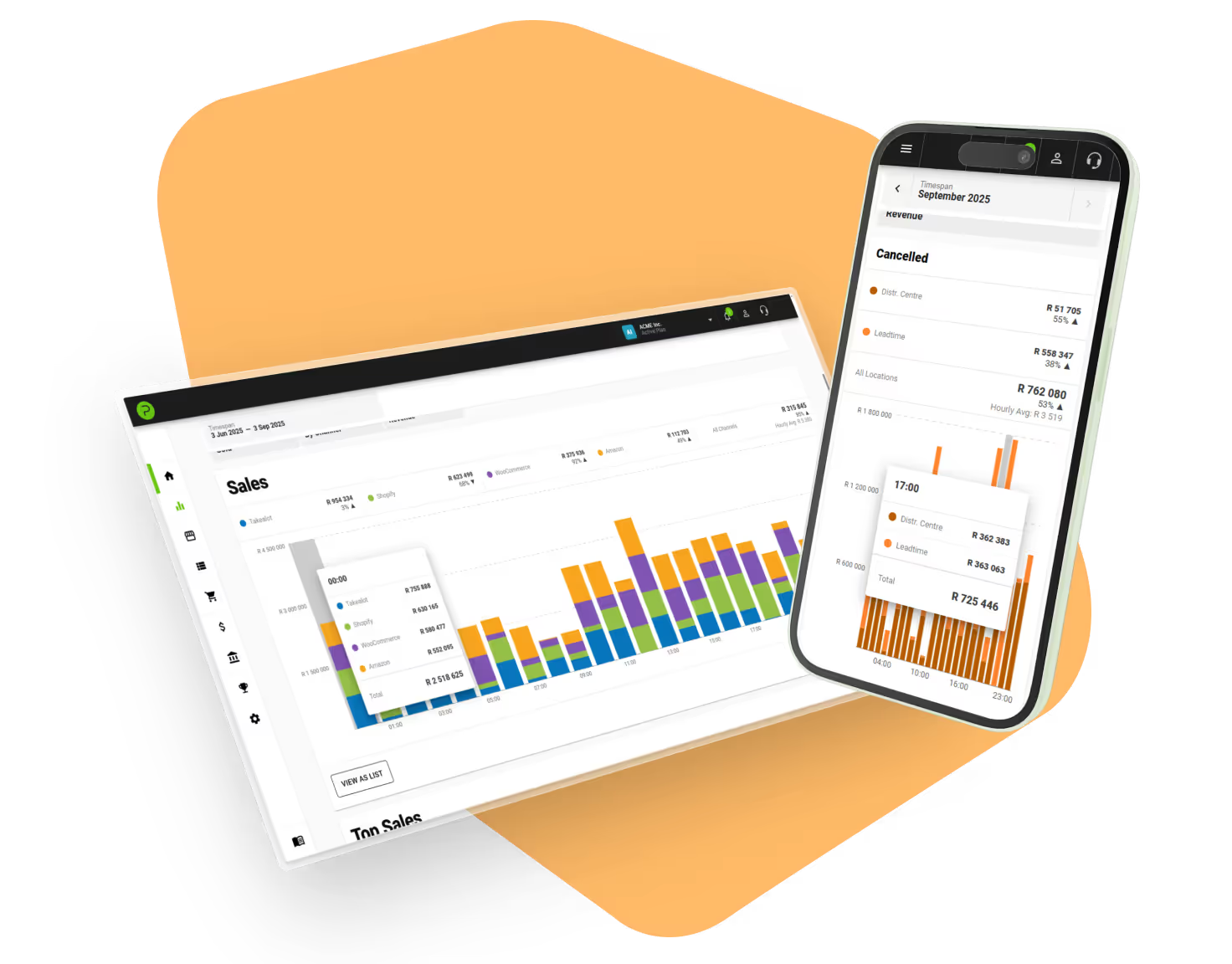
TOP PERFORMERS
See your top performing products by revenue, profit, units sold or ROI
COMPARE
Compare sales channels, distribution methods, sales, returns and cancellations
EXPORT
Export your sales analytics into Excel format for more advanced processing
PROMOTIONS
Identify your best performing promotions on Takealot


Features

Track costs and fees
Track your costs and marketplace fees to see your profit margins for all your products across all sales channels.

Markup pricing
Ensure you're making the margins you need to not sell at a loss.

Product viability calculations
Quickly and easily calculate the viability of a product and your minimum selling price to turn a profit.

Easy invoice generation
Generate invoices for any Takealot order with two clicks.

Members and permissions
Add multiple members to an account and assign permissions for what they can view and edit.

Multi-account management
Easily connect and quickly switch between multiple accounts.

















TESTIMONIALS
What our customers are saying
Outstanding service and responsiveness. I've tried and tested five different providers offering similar solutions over the past four years, and Palmetrics stands out clearly. The app works exactly as expected, but what really sets them apart is the team's responsiveness—fast, helpful, and genuinely invested in solving issues. Easily the best experience I've had in this space.
Palmetrics is the service we never knew we needed! Their tools and reporting is absolutely life changing as an online business competing for market space on Takealot. Their software has saved us so much time and money. Definitely worth every single cent.
Amazing service! Couldn't be happier with the platform itself, which has helped me to really get our analytics on lock, and the buy box tracker feature has taken a significant amount of guess work out of remaining competitive. Excellent service, excellent platform. 10/10.
Cannot recommend this team enough! Their app is incredible, reporting is phenomenal and their service is incomparable - 10/10, honestly.
We have been using Palmetrics since they launched and aside from the concise and well laid out summaries of sales data, the buy box auto pricing is an essential feature to win sales. The latest stock sync between our Shopify and Takealot has saved us hours of manual workarounds and potential for human error. The team are helpful and always available to help and it's nice to see constant new features getting added as they grow.
Palmetrics plays a key role for our e-Commerce business. It helps us visualize sales history and dive into the specifics to review performance by products, returns, and more. I would strongly recommend it to any company selling on Takealot.
We have a great relationship with the Palmetrics team, they are always available to help and assist and offer valuable insights into how to streamline and improve our offerings using their platform. We highly recommend them!
The software has been a massive help to our business in tracking and viewing product sales on Takealot Marketplace. The summaries give an instant picture on how sales are going and the notifications on low stock and returns have been a game changer.
Excellent software for anyone serious about their Takealot strategy. Their dashboards have a sleek UX and very easy to navigate and manage your pricing strategies. Support over phone/whatsapp is spot on!
I love this software! The beauty of being able to find everything in one place is awesome. You can set the filters to different settings to find specific things. Highly recommend this! Support is also excellent.
We use Palmetrics to keep up to date with our Takealot listings and it helps us clarify all the data that is also available on Takealot but in a far more logical layout with valuable insights that ultimately mean quicker, smarter decisions concerning our product range and sales data.
Great piece of software, has really helped us at Definitive Brands Group with tracking sales, demand patterns and returns on the Takealot Marketplace platform!
We started using Palmetrics when they just launched! Palmetrics has made managing our takealot account so much easier by simply displaying and showing all the details in their dashboard.
Plans & Pricing
Free 30-day trial. No credit card required.
Plans start from R224.25/month (incl. VAT)
Questions
Can I set up my own integration?
Yes, you can connect any integration by yourself. If you want to set up stock sync or have any issues doing the integration, you can contact us and we'll configure it with you.
Are there any setup fees?
No, there are no additional setup fees. After connecting your first integration, you'll automatically be given a free 30 day trial. This gives you plenty of time to set up your account and test the product before paying anything.
How long does it take to get started?
It's very quick but will depend on how many integrations you want to connect and what features you want to use. Most customers are live within a few hours to a day.
Do I need to use the Palmetrics dashboard?
You don't have to, if you're using it mostly for syncing things in the background between your other platforms. However, the dashboard is packed with a lot of features that you won't find in your existing platforms.
How often does Palmetrics sync with integrations?
Most integrations sync in real-time however some don't support this functionality and will sync once an hour.
Is it possible to sync historical data?
Yes, at the moment all supported integrations are able to sync historical information when you connect them.