

Appearance
Managing Companies
You can manage multiple Palmetrics accounts (and thus Takealot accounts) from a single login.
To do that, you can either:
- add a new company which doesn't exist on Palmetrics yet
- transfer ownership of an existing company on Palmetrics to a different personal login
Add a new company
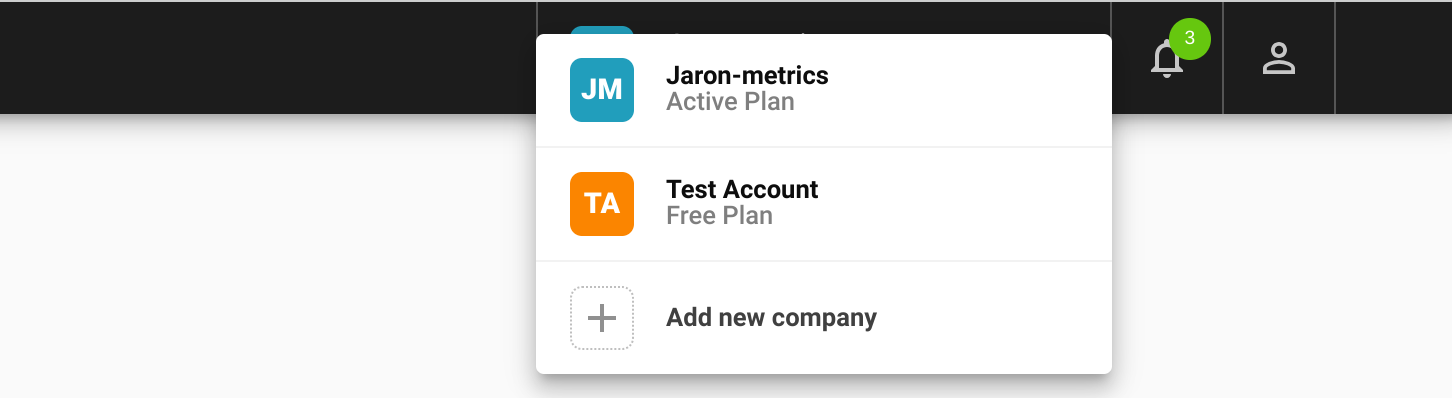
- At the top right of Palmetrics, click on the current company's name
- Click "Add new company"
- Enter a Takealot API key for the new Takealot account you'd like to add
Transfer ownership
How the transfer works
- It's possible to transfer ownership of a company only to another member in the same company
- By transferring ownership, you are giving the receiving member the highest level of control over a company
- When you as the current owner initiate a transfer of ownership, a one-time-pin (OTP) will be sent to your email address to confirm and complete the transfer within 30 minutes of initiating it
- Once the OTP is confirmed, the transfer will be immediate and you, the previous owner, will be changed to a member with full permissions
Steps
- Open the Palmetrics app
- Ensure the active company selected at the top of the page is the one you want to transfer ownership of
- Go to the Settings page
- Select Members on the left-hand side navigation
- Click "Transfer Ownership" at the top
- Follow the prompts to confirm the ownership.
- You will need to confirm an OTP received by email to complete the transfer.
